
Cloud access control for North and South Carolina
Plan a Brivo system around the doors, users, credentials, video, visitor workflow and support responsibilities at the property. 360 Mobile Vision designs new deployments, takeovers and multi-site expansions using Brivo Access, current controller families, smart readers, mobile credentials and supported integrations.
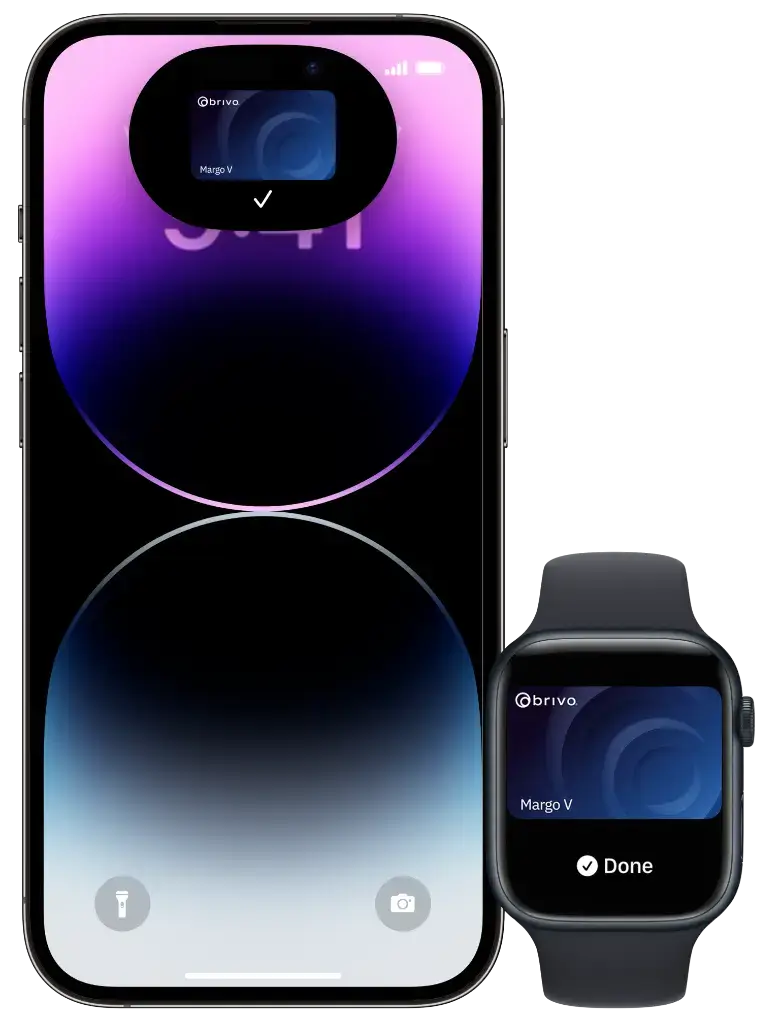
What Brivo brings together
Brivo is a cloud-managed physical security platform. Administrators can manage people, credentials, schedules, doors, events and emergency actions from a browser or mobile device while field controllers continue making local access decisions. The architecture removes the need for a traditional access-control application server, but it does not remove the need for careful door surveys, network planning, power calculations, life-safety coordination or documented administration.
A complete Brivo design can include access control, Mobile Pass and Wallet credentials, smart readers, guest and visitor workflows, video linked to access events, identity integrations, multifamily functions and third-party hardware. The useful question is not whether every feature is available; it is which combination improves the client’s daily operation without creating unnecessary subscriptions or unsupported dependencies.
Remote administration
Manage users, credentials, schedules, doors and events across one or many sites without maintaining a local application server.
Local door decisions
Controllers retain the information needed for normal door operation when the WAN connection is temporarily unavailable.
Mobile access
Use Brivo Mobile Pass and supported Wallet credentials alongside cards, fobs and PINs where the reader and edition support them.
Open integrations
Connect video, identity, visitor, intercom, wireless-lock and business systems after compatibility and ownership are documented.
Brivo control panels and edge controllers
The controller choice affects enclosure size, reader count, expansion, power, network resilience and the amount of existing infrastructure that can be reused. Final capacity must be checked against the current Brivo documentation and the selected board configuration.
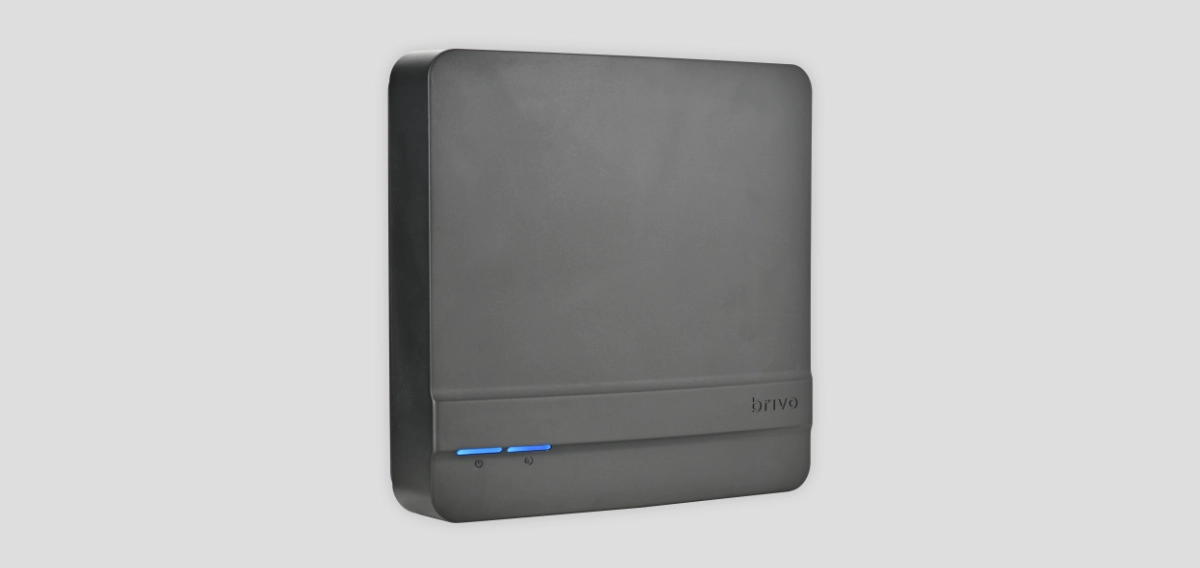
ACS300 Series
A two-door controller suited to small systems, branch locations and incremental expansion. The design still needs lock power, battery, input and output requirements documented separately.
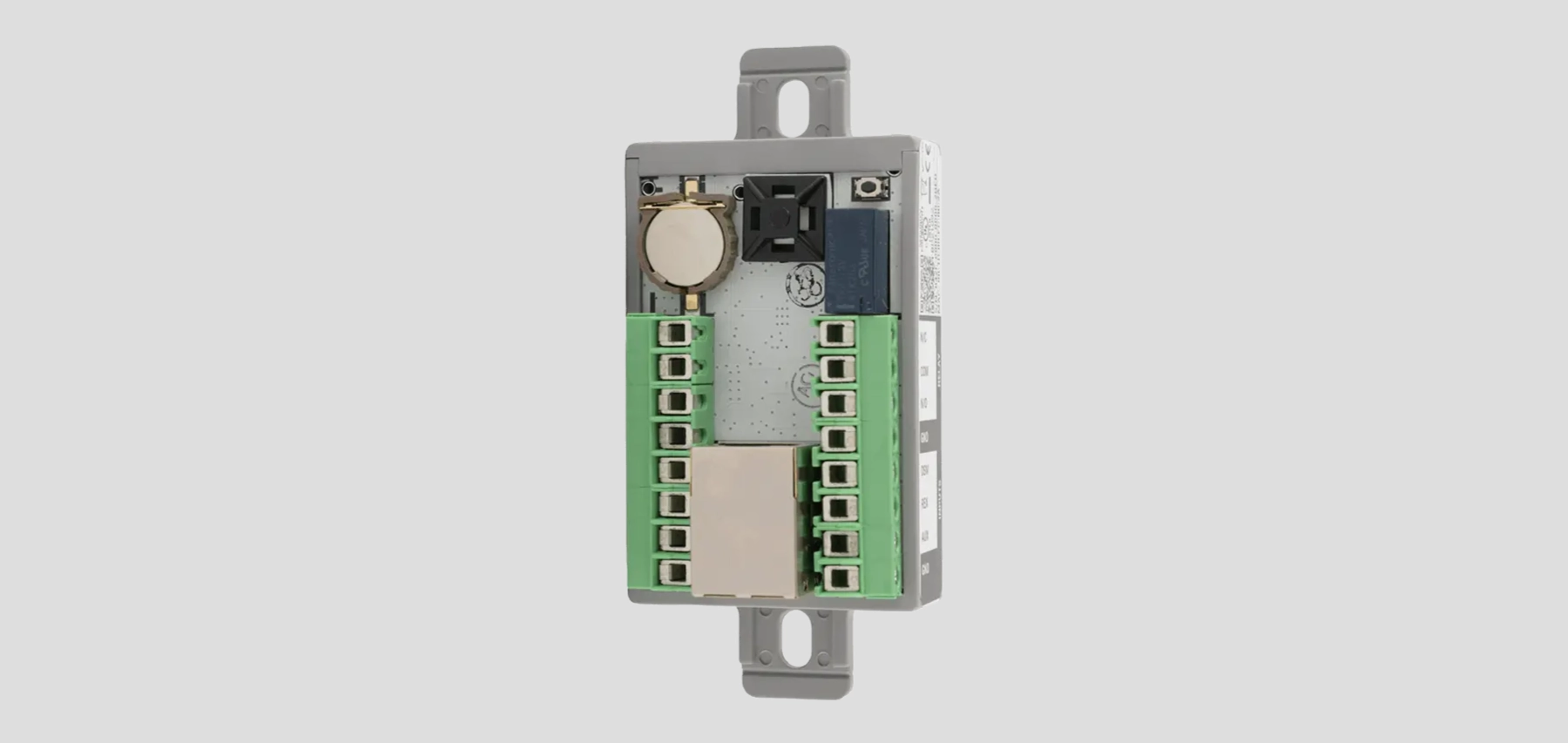
ACS-SDC Series
A single-door Ethernet controller intended for Brivo Smart Readers and supported OSDP readers. It can support a distributed per-door architecture where pathways and network design make that approach practical.
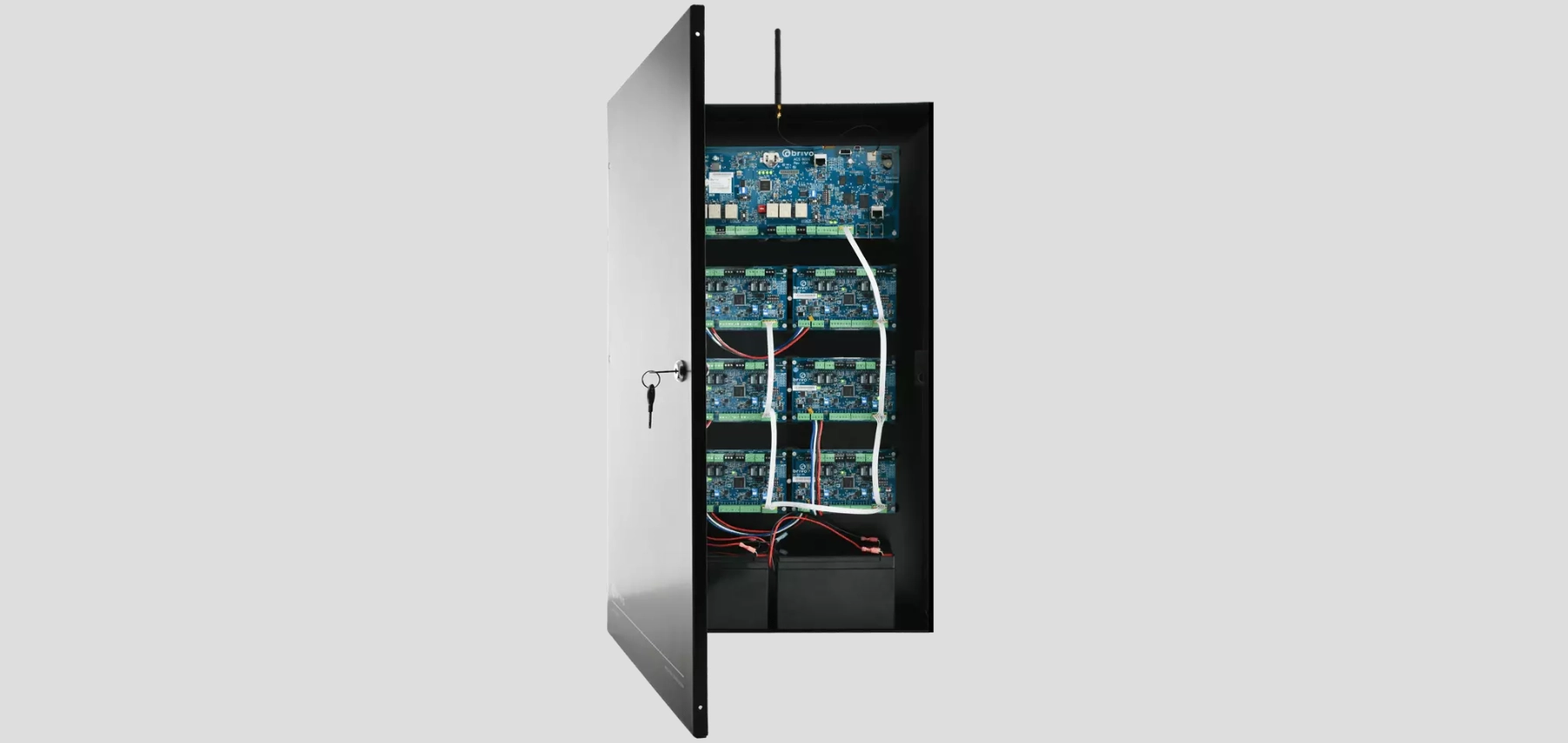
ACS6100 Series
A modular controller family for larger door counts. Current Brivo material describes support for expansion door and I/O boards, remote firmware updates, encrypted communications and growth up to 30 readers per panel when correctly configured.
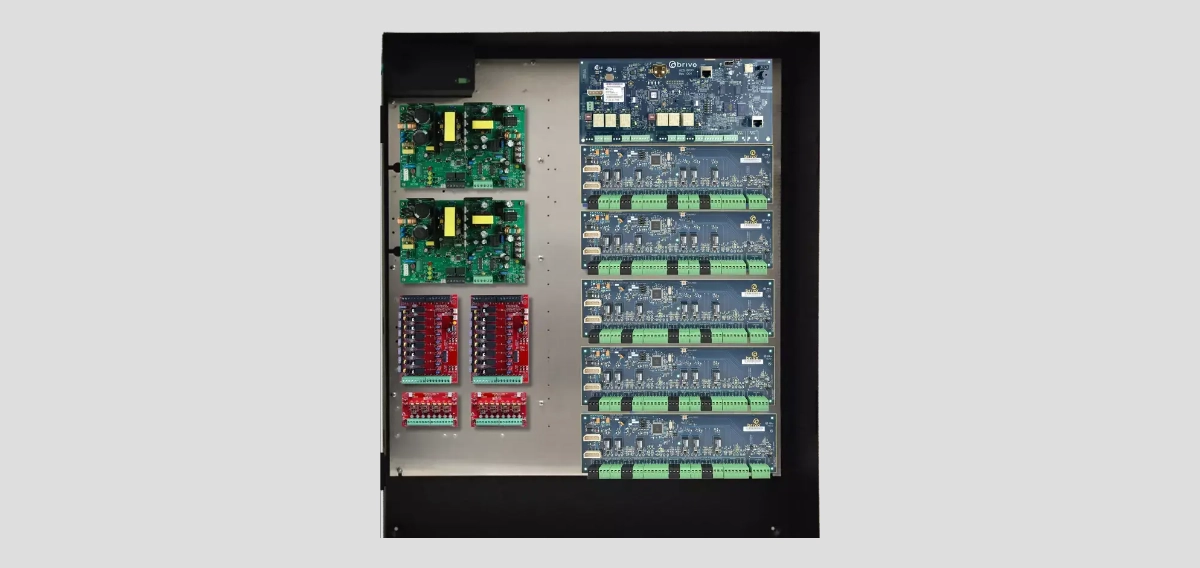
ACS6000 Series
An established expandable panel family found in many existing Brivo systems. A takeover should inventory the main board, expansion boards, enclosure, power supplies, firmware and supported migration path before reuse is promised.
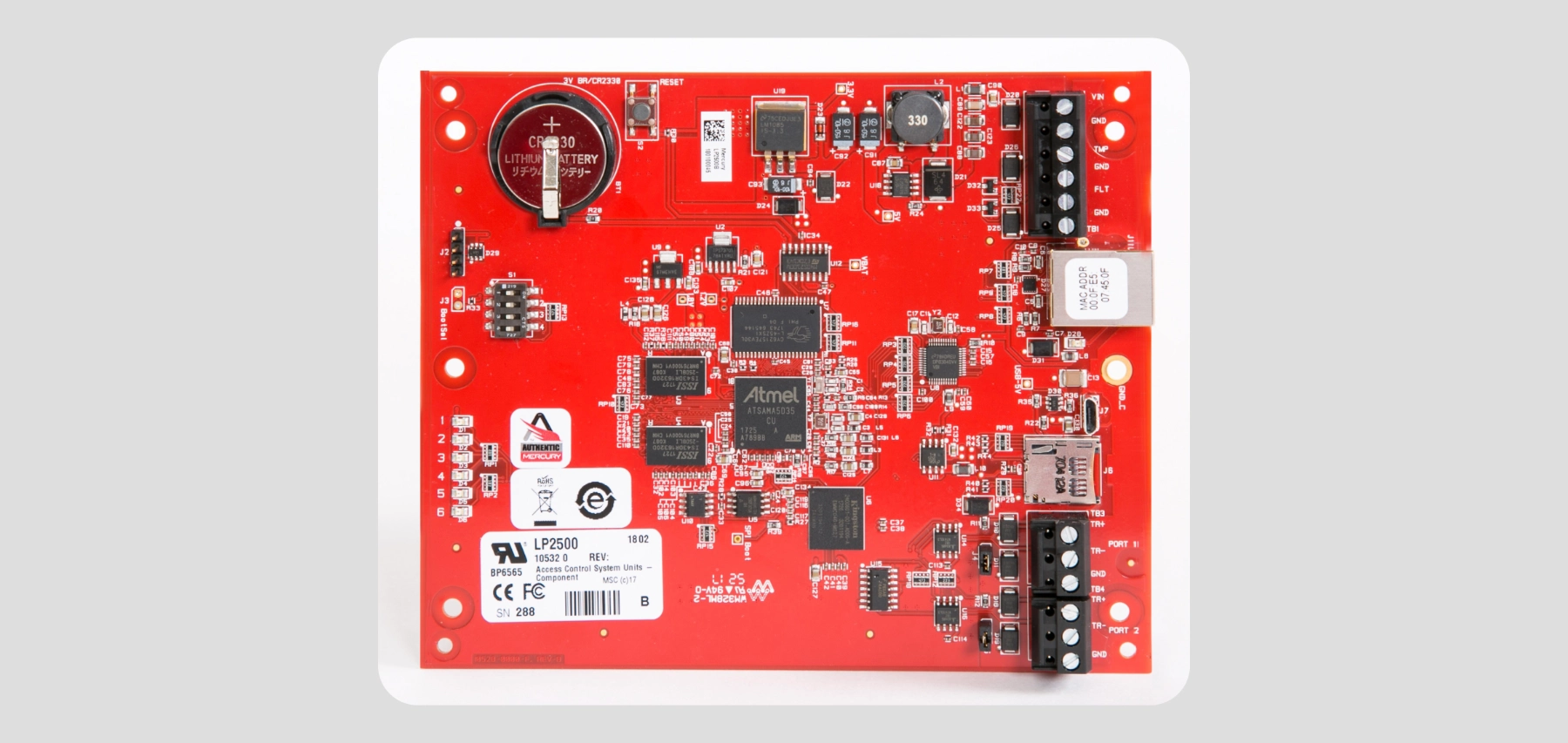
Mercury architecture
Brivo supports authentic Mercury open-architecture controller options. This can preserve selected field investments, but model, firmware, downstream interface and feature support must be verified for the intended Brivo edition.
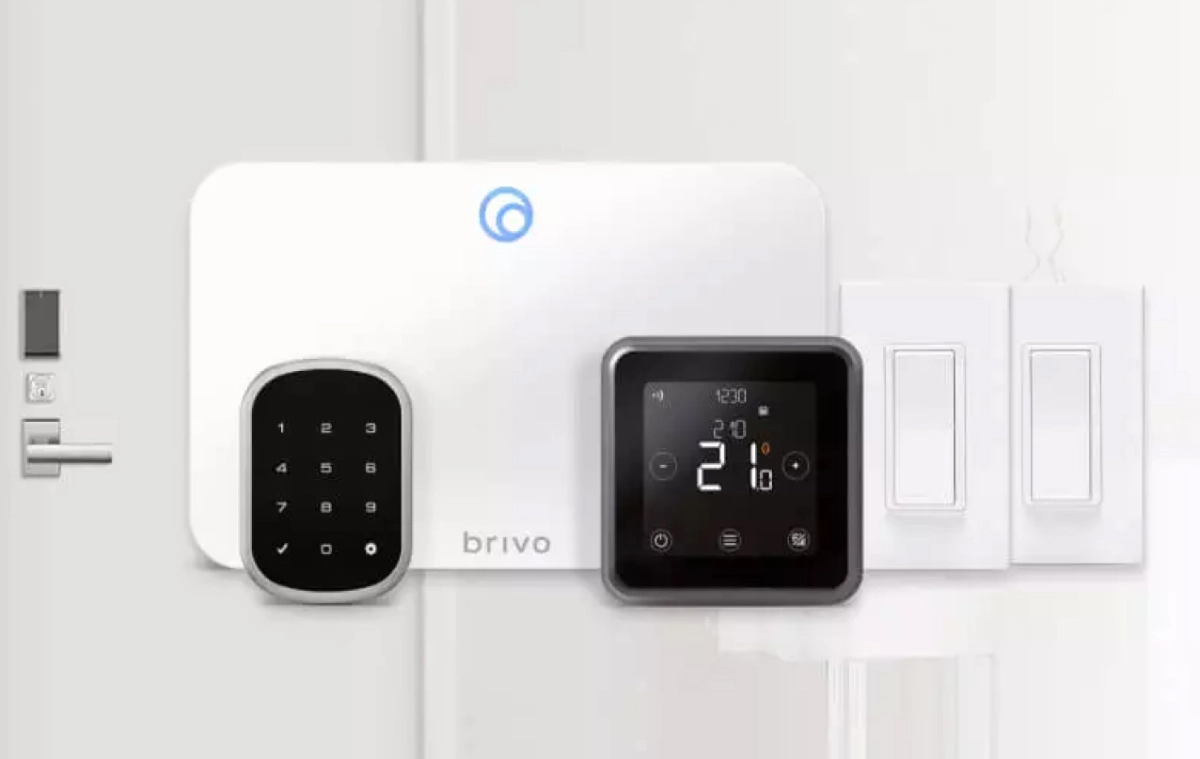
Brivo Gateway
For supported multifamily designs, the gateway connects compatible smart-apartment devices and locks to the Brivo environment. Unit count, radio coverage, property-management integration and resident support all belong in the design.
Compare Brivo panels, readers and credential options in the hardware guide.
Readers, credentials and the Brivo Door Station
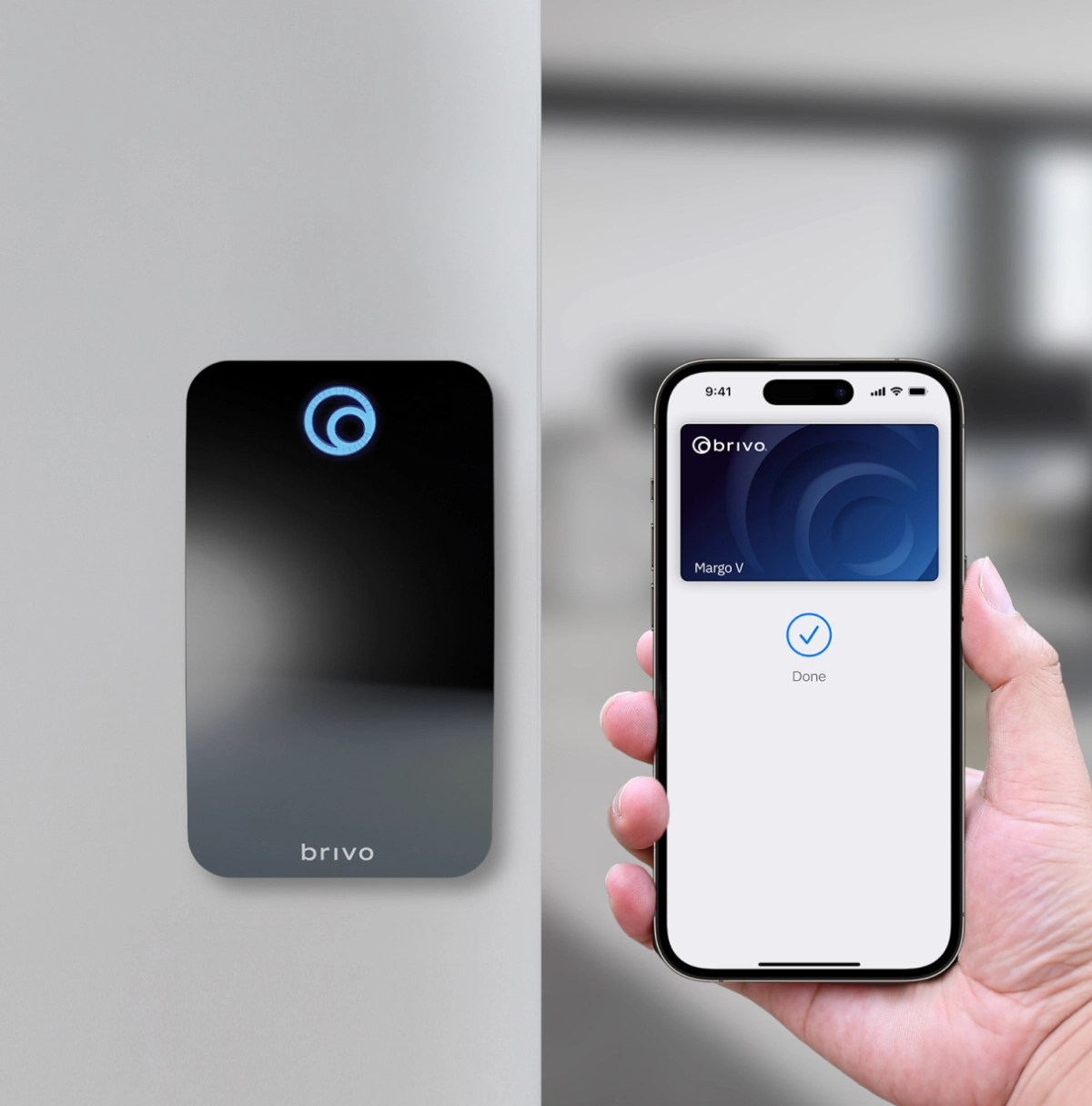
Brivo Smart Readers
Reader formats are available for different mounting conditions and credential strategies. Confirm mullion or wall-switch fit, keypad requirements, mobile support, card technology, OSDP wiring and environmental rating.
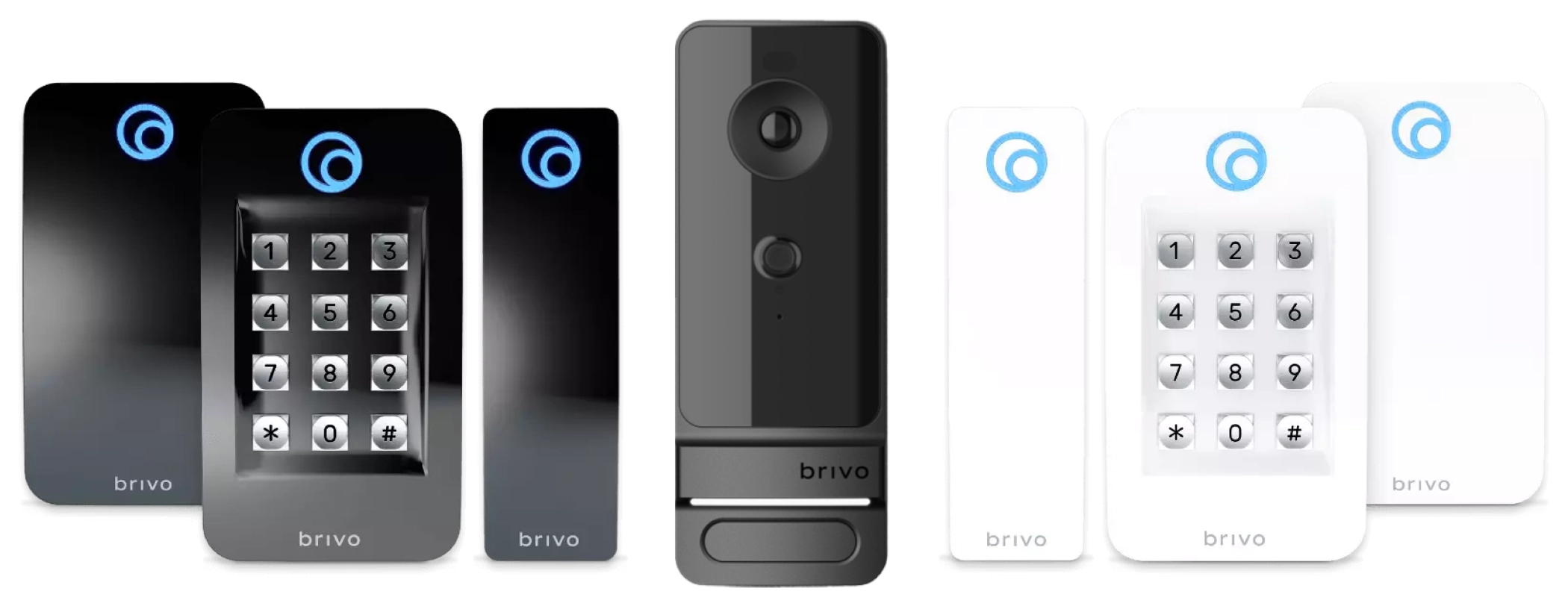
Migration-friendly credentials
A project can combine supported mobile credentials, encrypted smart cards, fobs and PINs. Existing prox cards may be useful during a transition, but a migration plan should not preserve weak credentials indefinitely by accident.
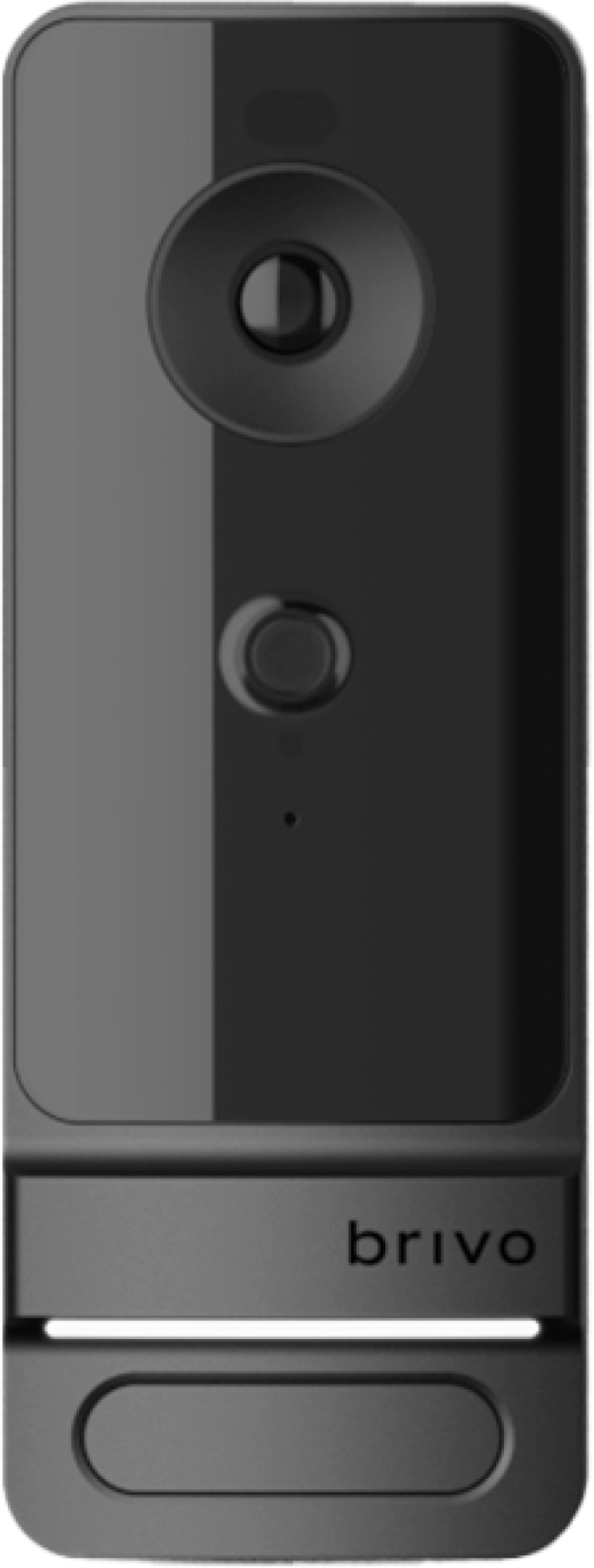
Brivo Door Station
The Door Station combines reader and camera functions to associate a frontal image with an access event and support facial-authentication workflows. Panel compatibility, firmware, mounting height, lighting, privacy and fallback credential behavior must be reviewed.
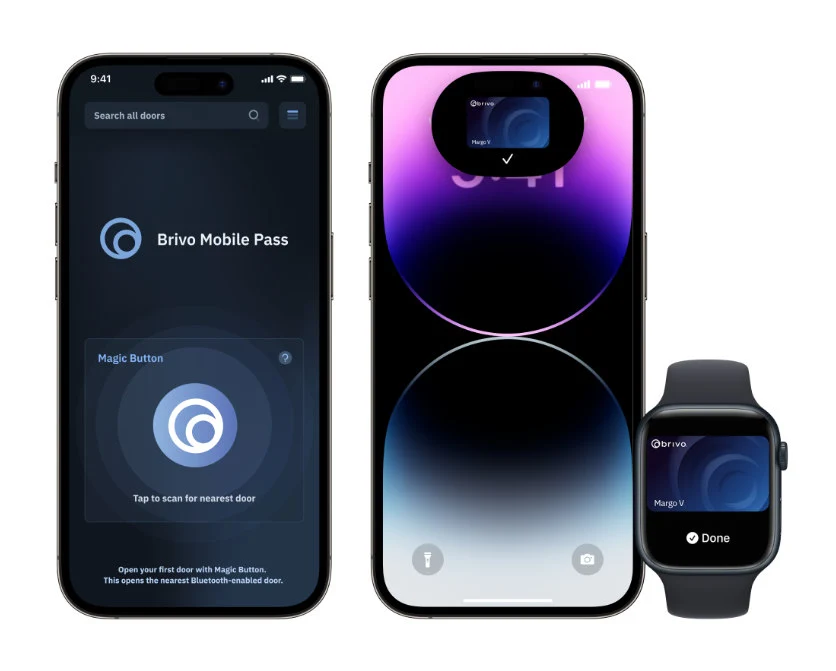
Mobile Pass and Wallet
Phones and supported watches can become access credentials. Define enrollment, device replacement, offboarding, lost-device response, offline expectations and whether Apple Wallet or Google Wallet availability applies to the user population.
Review Brivo Access, Mobile Pass, Wallet and visitor-management choices. Review Door Station, video and integration planning.
Wireless locks and existing door hardware
Brivo can work with supported wireless locks and open-architecture hardware, which may reduce new cabling for interior openings or help stage a migration. Compatibility is product- and release-specific. A field survey must still confirm the door, frame, latch, fire rating, free egress, accessibility, mechanical keying, gateway placement, battery service and emergency procedure.
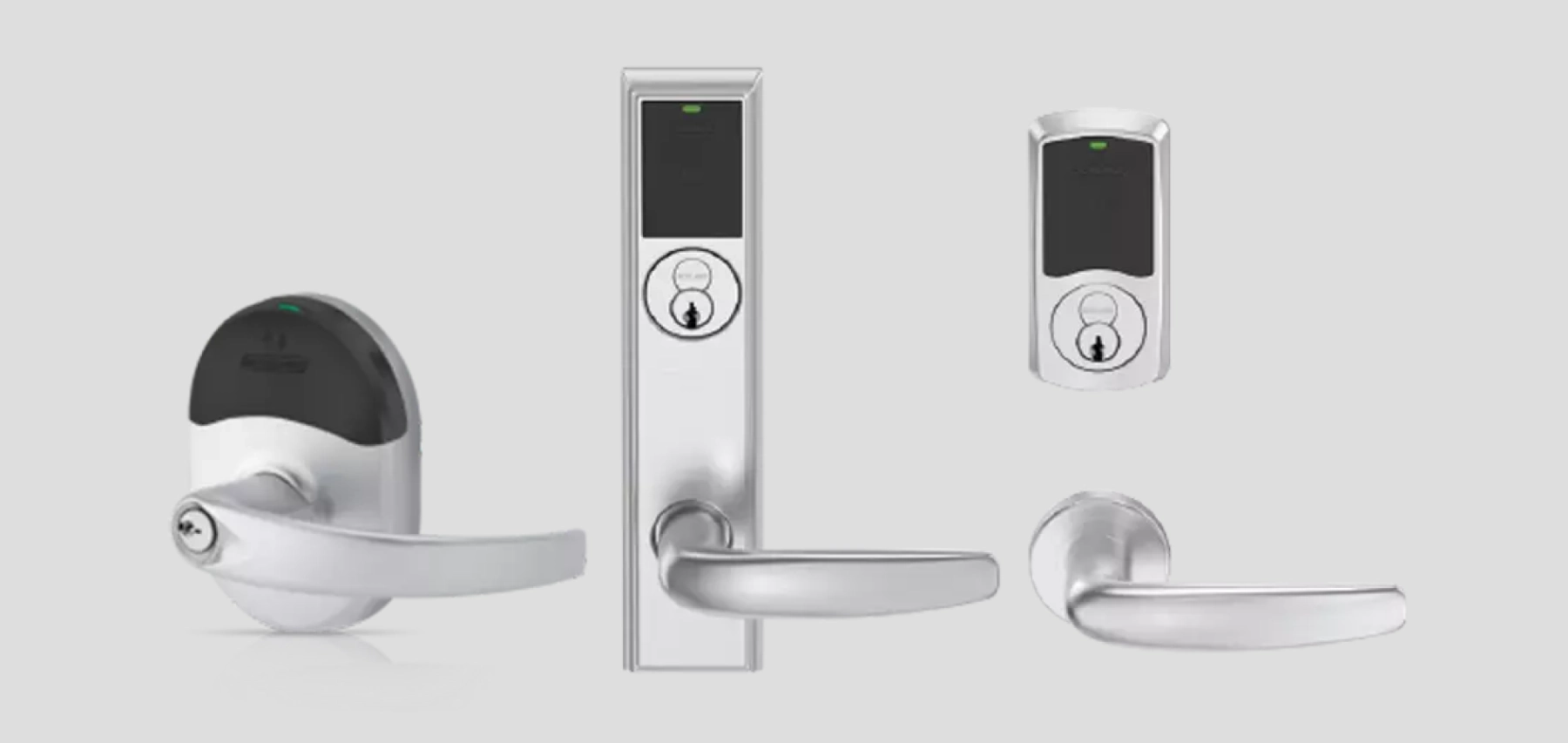
Allegion and Schlage
Supported Schlage wireless and mobile-credential options can extend access control to doors where a conventional wired opening is undesirable. Verify the exact lock, reader and credential combination.
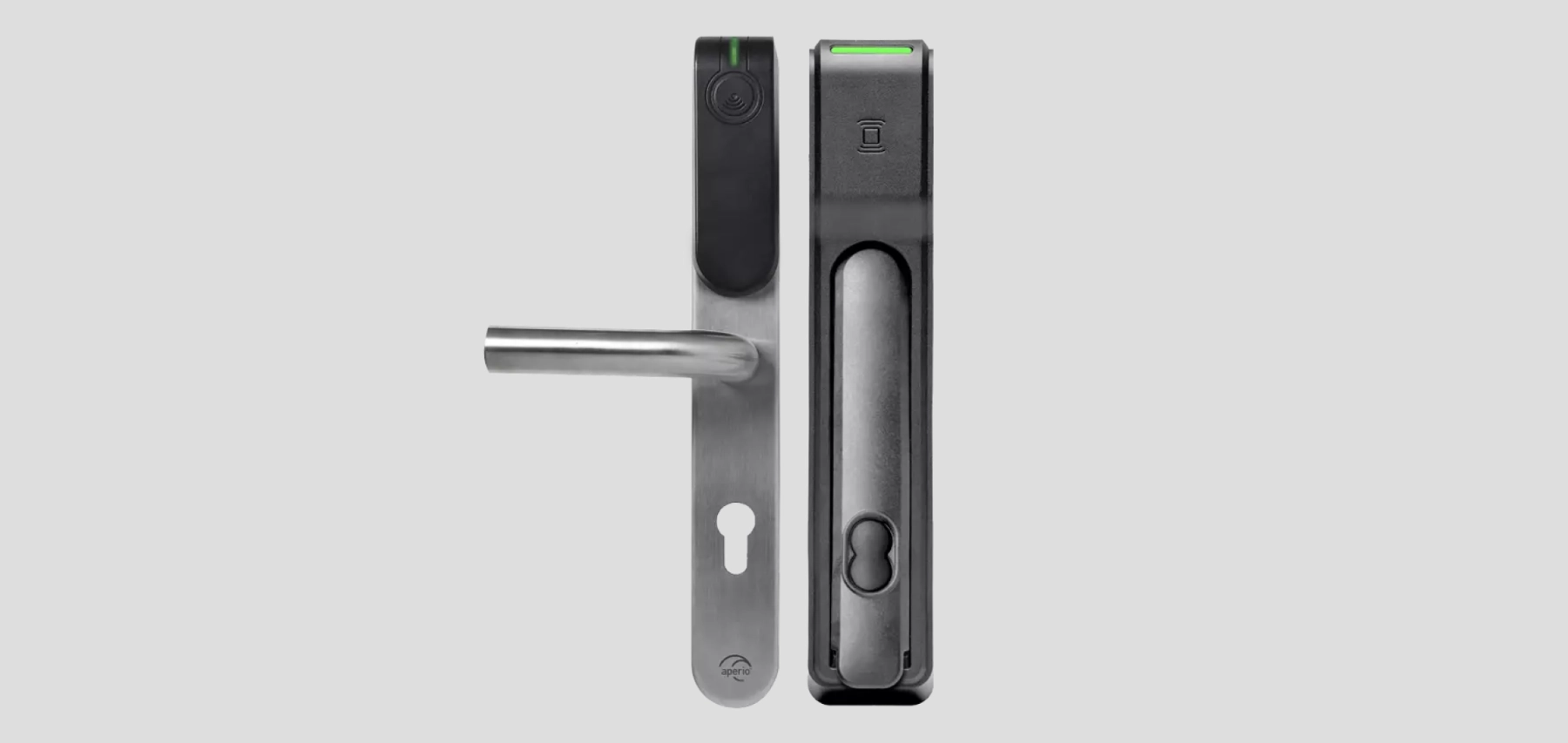
ASSA ABLOY and Aperio
Selected Aperio and electronic-lock products can connect openings such as offices, cabinets and specialty doors. Hub capacity, wireless coverage and release compatibility must be part of procurement.
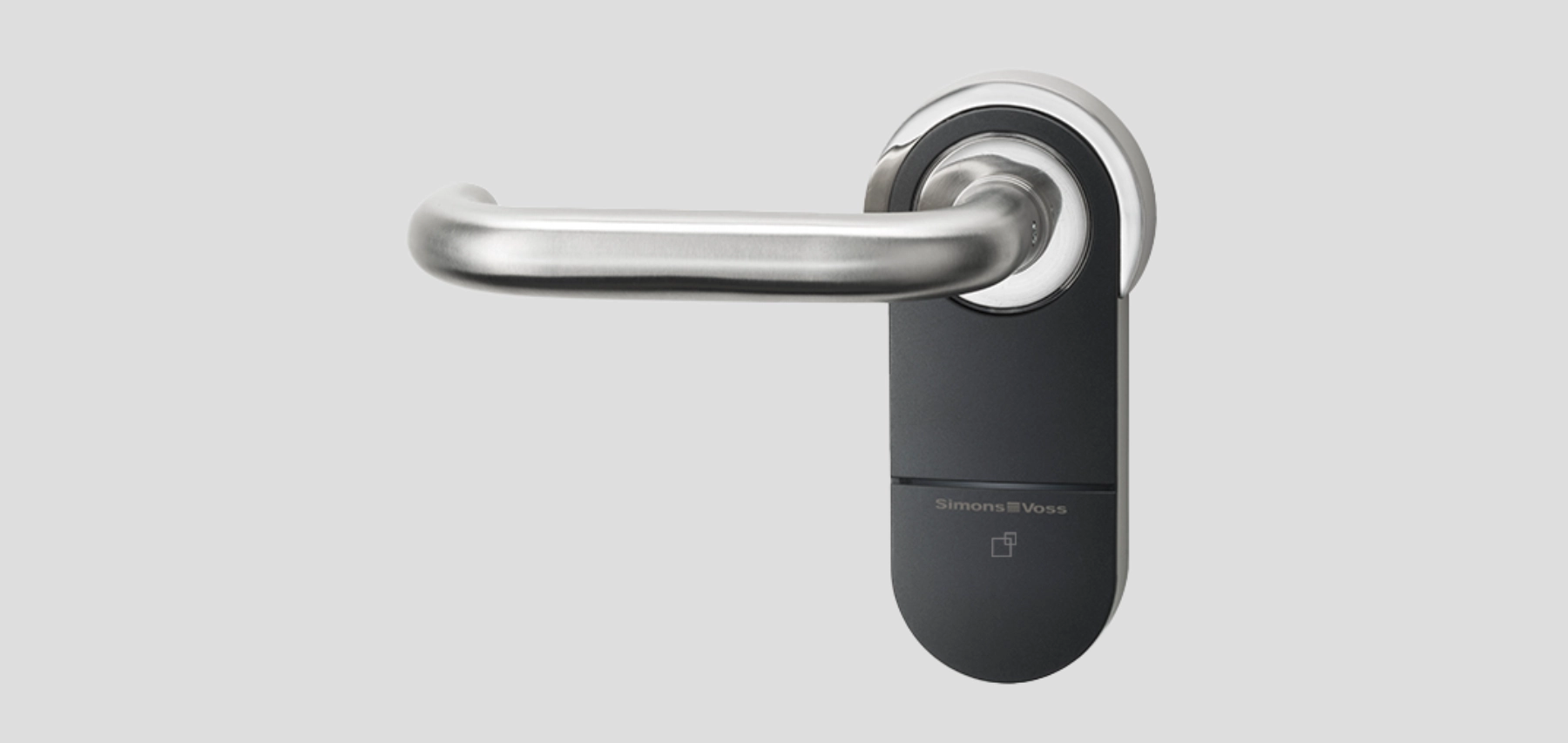
SimonsVoss SmartIntego
Supported cylinders, handles, lockers and padlocks can bring additional opening types into the access workflow. Confirm regional availability and the current integration matrix.
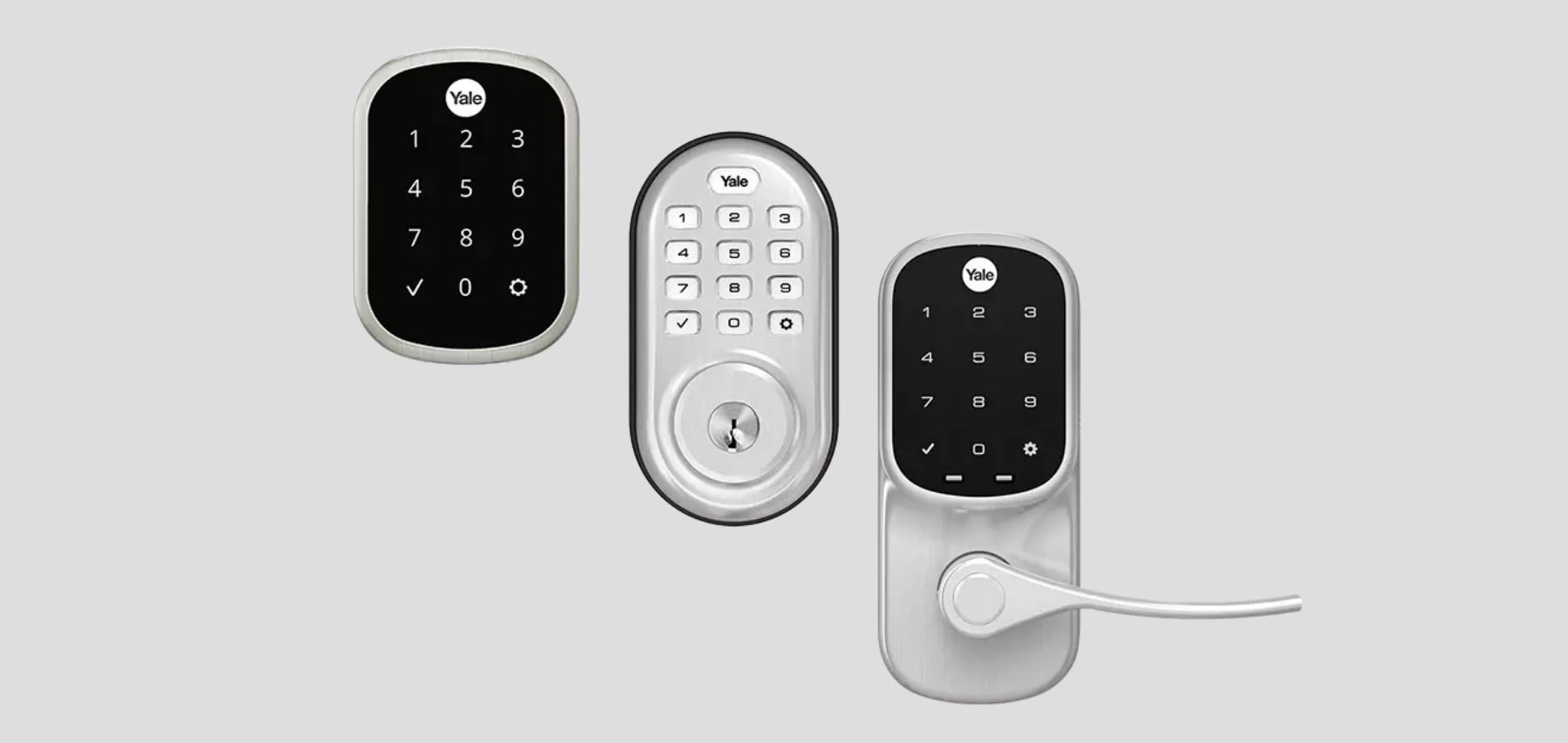
Multifamily smart locks
Supported Yale and Z-Wave devices may be used in Brivo multifamily designs. Resident turnover, battery service, unit privacy and property-management workflow require explicit ownership.
Brivo Access editions and optional capabilities
Brivo currently presents Standard, Professional, Enterprise and Multifamily editions. Feature packaging, administrator counts, retention, Mobile Pass allocations and add-on packs can change, so the edition must be quoted from current manufacturer material rather than inferred from an old project.
Standard
Core cloud access functions such as administrators, event tracking, credential management, device status, emergency scenarios and video integration options.
Professional
Designed for organizations that need broader operational features such as API use, occupancy or trend capabilities, visitor options and additional reporting choices.
Enterprise
For larger multi-site operations that need expanded administration, global visibility, SSO, anomaly or incident functions, and more extensive reporting or retention choices.
Multifamily
Combines access and resident-oriented functions with supported property-management integrations, guest workflows, mobile passes and smart-apartment options.
The edition decision should be recorded alongside every paid add-on, integration, credential allocation, video subscription, data-retention requirement and renewal owner.
Video, identity, visitor and intercom integrations
Brivo can connect access events to video and other business workflows. Native and API-based integrations should be evaluated differently: a feature shown in a marketplace does not automatically define who configures it, which license is required, how errors are monitored or which vendor supports the combined result.
- Eagle Eye Networks video: associate live or recorded video with access events and use supported cloud-video functions and analytics under the applicable Eagle Eye subscription.
- Identity: connect supported identity services such as Microsoft Entra ID or Okta so onboarding and offboarding can follow an approved source of truth.
- Visitor and guest management: use Brivo Visitor Management, powered by Envoy, or Guest Management workflows for preregistration, kiosks, screening, badges, PINs or Mobile Pass where supported.
- Intercom: supported 2N and partner integrations can connect visitor calls and door release, but call routing, network, relay ownership and fallback procedures require testing.
- Open API and marketplace: verify the exact connector, data flow, authentication, edition, maintenance owner and expected behavior during an outage.
See the detailed Brivo video, Door Station and integration guide.
Brivo cloud or an on-premises platform?
Brivo cloud-managed design
- No traditional on-site access application server
- Browser and mobile administration
- Automatic platform updates
- Local controller decisions during temporary WAN loss
- Subscription and internet dependencies must be owned
On-premises alternative
- Local server and database under the client’s IT procedures
- Update timing and backups remain an owner responsibility
- May suit air-gapped or policy-restricted environments
- Requires lifecycle planning for operating system, database and application
- Compare with current LenelS2, Kantech or other supported options
The decision should follow cybersecurity policy, data ownership, IT staffing, remote-administration rules, integration requirements, business continuity and total lifecycle cost. 360 Mobile Vision can document a cloud, on-premises or phased migration scope without assuming that one model fits every facility.
How a Brivo project is developed
1. Opening and system survey
Inventory every door, reader, lock, request-to-exit device, contact, power supply, panel, credential, network connection and reusable component.
2. Architecture and licensing
Choose controllers, readers, credentials, edition, integrations, video options and capacity with assumptions and exclusions stated in writing.
3. Installation and configuration
Coordinate pathways, locksmith work, power, network, fire-alarm interfaces, programming, identity data and any phased user migration.
4. Acceptance and handoff
Test valid, invalid, emergency and outage scenarios; train administrators; document installed models, licenses, settings, backups and support routes.
Projects in North and South Carolina are coordinated from Charlotte. Scheduling and field coverage are matched to site count, system complexity, required trades and support expectations.
Common Brivo questions
Will doors work if internet service is interrupted?
Normal access decisions can continue locally when controllers have the required cached data and the field system remains powered. Cloud administration, remote commands and integrations that depend on the WAN may be unavailable until connectivity returns. The acceptance plan should test the expected offline behavior.
Can Brivo reuse our readers, cards or Mercury hardware?
Sometimes. Reuse depends on the exact reader protocol, credential technology, controller model, firmware, downstream boards, wiring condition and desired security level. Inventorying an existing system is required before a reuse allowance is included.
Does Brivo support phones and Wallet credentials?
Brivo offers Mobile Pass and supported Wallet credential options. Availability varies by device, operating system, reader, region and edition. Enrollment, replacement and offboarding procedures should be designed before rollout.
Can access events be linked to video?
Yes, supported video integrations can connect an event to live or recorded footage. The design must include camera coverage, time synchronization, retention, bandwidth, permissions and the applicable video subscription.
Do you expand and repair existing Brivo systems?
360 Mobile Vision can assess an existing Brivo deployment, identify current hardware and subscriptions, troubleshoot field devices, plan additions and document migration or replacement options. Support access and manufacturer entitlement are confirmed during discovery.
Explore the Brivo product-family guides
Brivo Access, Mobile Pass and Visitor Management
Administration, mobile and Wallet credentials, guest workflows, identity and multifamily considerations.
Brivo panels, smart readers and credentials
ACS controller families, Mercury options, readers, protocols, power, credentials and hardware migration.
Brivo Door Station, video and integrations
Door Station planning, Eagle Eye video, intercom, visitor, identity, API and event-verification workflows.
Plan a Brivo system for the property
Share the number of sites and doors, existing platform, credential strategy, video or visitor requirements, network policy and desired schedule. We can turn that information into a survey and design scope.
Brivo owner and buyer guidance for Carolina facilities
For North and South Carolina projects, use these resources to prepare for a Brivo installation, modernization or service visit. The guides address the account, credential, schedule, identity and cost questions that should be resolved alongside door hardware and cabling.
Discuss Brivo installation or service
Research guides are maintained by 360TechnologyGroup.com, the parent-company knowledge center. Product names belong to their respective owners.
Brivo access control dealers — what the dealer actually does
Brivo is sold and installed through authorized dealers rather than off a shelf, so the dealer is part of what you are buying. That matters more with cloud access control than with most products, because the platform is only as good as the way it was set up.
What we do as a Brivo dealer across North and South Carolina:
- Survey and design — which doors, what hardware each opening actually needs, and how many control panels that implies.
- Supply and installation — panels, readers, credentials, strikes and maglocks, request-to-exit, and the cabling behind all of it.
- Configuration — users, groups, schedules and door naming that a technician can follow later.
- Account ownership — the Brivo account is yours, not ours. You should never be unable to administer your own doors because of who installed them.
- Service afterwards — repairs, expansion, and takeover of Brivo systems installed by dealers who have since disappeared.
That last one is a large share of the Brivo work we do. A building changes hands, the new owner has working doors and no logins, and nobody knows which panel serves which opening. We establish that first and write it down.
Authorized · Certified · Carolinas
Authorized Brivo dealer, certified installer and integrator
360 Mobile Vision sells, installs, programs and services Brivo for businesses across North and South Carolina — cloud access control, ACS panels, smart readers and Mobile Pass credentials. Being the authorized dealer as well as the installer is what gets you genuine equipment, a valid warranty and a manufacturer support path when something needs escalating.
- DealerWe quote and supply genuine Brivo equipment, licensing and subscriptions.
- InstallerOur own technicians run the cable, mount the hardware, set the software up and test it — not a subcontractor you have never met.
- IntegratorWe make it work with the cameras, doors, network and identity systems already in the building, rather than leaving you with two systems that do not talk.
- Still here afterwardsService, repair, expansion and takeover of systems somebody else installed. Emergency support around the clock.
Official Brivo software, firmware and support
Use the manufacturer links below for current software, firmware, release notes, manuals and technical resources. 360 Mobile Vision links directly to official manufacturer portals and does not copy or host firmware files.
Before installing an update: verify the exact model, region, hardware revision, current version, required intermediate releases, licensing or support entitlement, backup and rollback plan, integrations and maintenance window. An incorrect firmware package or upgrade sequence can interrupt service, invalidate compatibility or prevent a downgrade. Coordinate updates for monitored, life-safety-adjacent or business-critical systems with the system administrator and an authorized specialist.
Some resources require a customer, dealer, certified-technician or active-support login. Cloud-managed products may update automatically and may not provide a public firmware file.
Related services, products and planning guides
Honeywell
Use the Honeywell guide to compare compatible equipment, integrations, deployment choices and lifecycle responsibilities related to this project.
Kantech Access Control Installation, Repair and Maintenance
Use the Kantech Access Control Installation, Repair and Maintenance guide to compare compatible equipment, integrations, deployment choices and lifecycle responsibilities related to this project.
Lenel
Use the Lenel guide to compare compatible equipment, integrations, deployment choices and lifecycle responsibilities related to this project.
Property Management
Use the Property Management guide to compare compatible equipment, integrations, deployment choices and lifecycle responsibilities related to this project.
Retail
Use the Retail guide to compare compatible equipment, integrations, deployment choices and lifecycle responsibilities related to this project.