
Brivo integration guide
Connect access events to useful evidence and business workflows without creating an integration nobody owns. This guide covers Door Station planning, video verification, Eagle Eye, identity, visitor, intercom and API responsibilities.
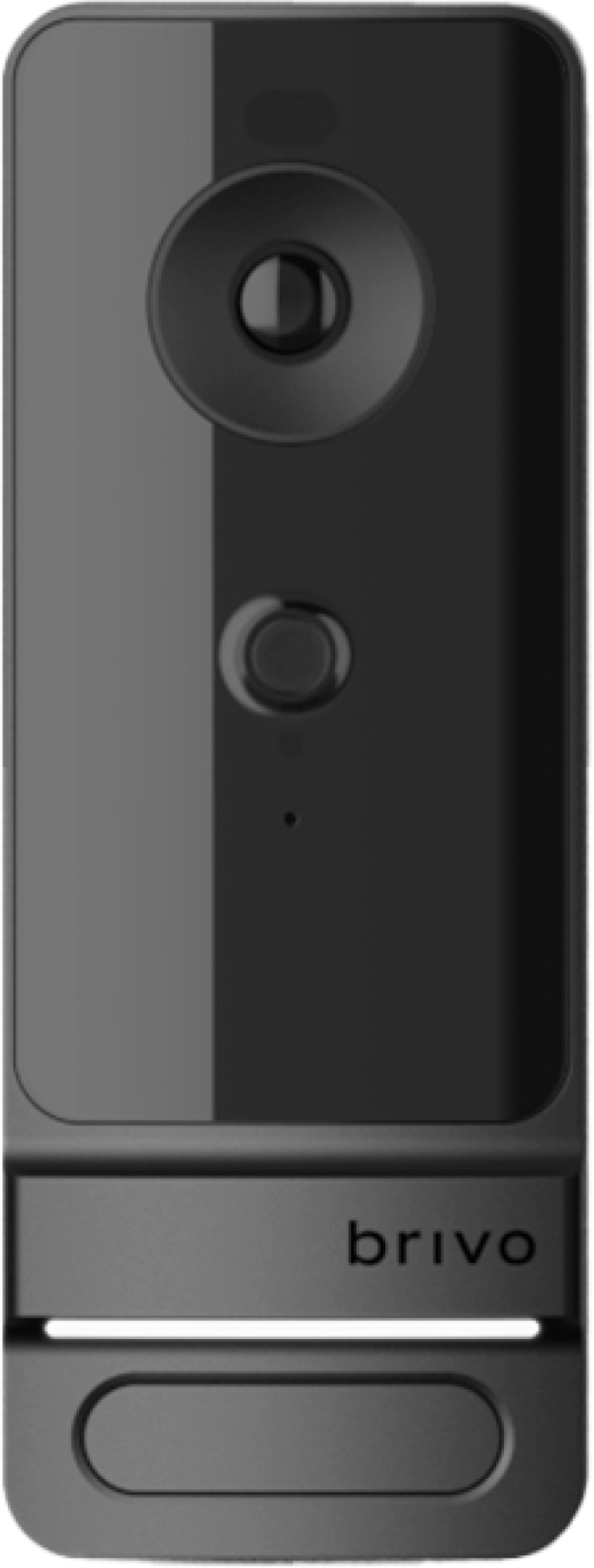
Brivo Door Station
Brivo describes Door Station as a reader with a built-in camera that can provide a clear image of an access event and enable supported facial-authentication workflows. It is not a drop-in substitute for every reader or intercom. Confirm supported controller and firmware, primary or secondary reader design, credential fallback, field of view, mounting height, lighting, network and power.
Event image
Position the device so the person—not only the top of a head or a bright doorway—is visible during credential use.
Facial authentication
Define enrollment, consent, alternate access, false-match response, privacy and retention before enabling biometric functions.
Reader compatibility
Brivo documentation lists supported ACS controller families; confirm the installed model and required firmware for the final design.
Intercom workflow
If visitor calling or remote release is required, document audio, call routing, host response and failure behavior separately.
Video associated with access events
Video verification is valuable when a badge event, mobile unlock or denied attempt opens the correct camera and time window. The design must establish camera coverage, time synchronization, retention, bandwidth, permissions and export procedure. A camera name appearing in an event is not sufficient acceptance evidence.
Brivo and Eagle Eye Networks offer integrated cloud video capabilities. The video subscription, bridge or camera-direct architecture, retention, analytics and administrator roles are separate design decisions. Existing cameras may be reusable after model, stream, resolution, codec, firmware and network support are checked.
- Map each critical door to a useful overview or identification camera.
- Test live, recorded, event-linked and exported video with the intended administrator role.
- Define who investigates alerts and how clips become incident evidence.
- Record retention, legal hold, privacy and deletion responsibilities.
- Plan WAN loss, camera loss and time-drift notifications.
Identity and business-system integrations
Microsoft Entra ID and Okta
Map the authoritative identity, groups, status changes, sync failures, exceptions and administrator SSO separately.
Visitor and guest systems
Define preregistration, kiosk, host approval, temporary credential, badge, delivery and retention workflows.
2N and intercom partners
Coordinate SIP or cloud call routing, relays, door release, mobile answering, network policy and fallback.
Property management
Map resident and staff lifecycle, unit changes, amenities, guest access, smart locks and reconciliation.
Open API and marketplace
Document the connector owner, edition, credentials, data scope, rate limits, monitoring and recovery process.
Wireless locks
Confirm model, gateway, radio coverage, battery, firmware and feature limitations for every supported lock family.
Integration acceptance tests
- Normal transaction: a valid user receives the correct access result and the expected identity and video evidence appears.
- Denied transaction: the operator can distinguish invalid credential, schedule, door and system faults.
- Lifecycle change: a new, changed or terminated identity reaches Brivo within the documented time.
- Outage: WAN, connector, camera or identity-system interruption produces the expected local behavior and alert.
- Recovery: queued changes reconcile correctly without duplicate users, permissions or missing events.
- Audit: the responsible administrator can report who changed a permission and export the required evidence.
Cybersecurity and ownership
Use individual administrator accounts, MFA, least privilege and a controlled integration-credential process. Record API keys and service accounts in the client’s approved secret-management system, not in project email or public documentation. Review outbound network requirements, remote-support access, log retention and the process for removing former vendors or staff.
Cloud-managed products update over time. Obtain current release information and firmware guidance from official Brivo resources, confirm maintenance responsibility and test integrations after material changes.
Define the integration before ordering
Share the Brivo edition, controller and reader models, cameras, identity platform, visitor process, intercom, property system and expected event workflow so compatibility and ownership can be documented.
Authorized · Certified · Carolinas
Authorized Brivo dealer, certified installer and integrator
360 Mobile Vision sells, installs, programs and services Brivo for businesses across North and South Carolina — cloud access control, ACS panels, smart readers and Mobile Pass credentials. Being the authorized dealer as well as the installer is what gets you genuine equipment, a valid warranty and a manufacturer support path when something needs escalating.
- DealerWe quote and supply genuine Brivo equipment, licensing and subscriptions.
- InstallerOur own technicians run the cable, mount the hardware, set the software up and test it — not a subcontractor you have never met.
- IntegratorWe make it work with the cameras, doors, network and identity systems already in the building, rather than leaving you with two systems that do not talk.
- Still here afterwardsService, repair, expansion and takeover of systems somebody else installed. Emergency support around the clock.
Official Brivo software, firmware and support
Use the manufacturer links below for current software, firmware, release notes, manuals and technical resources. 360 Mobile Vision links directly to official manufacturer portals and does not copy or host firmware files.
Before installing an update: verify the exact model, region, hardware revision, current version, required intermediate releases, licensing or support entitlement, backup and rollback plan, integrations and maintenance window. An incorrect firmware package or upgrade sequence can interrupt service, invalidate compatibility or prevent a downgrade. Coordinate updates for monitored, life-safety-adjacent or business-critical systems with the system administrator and an authorized specialist.
Some resources require a customer, dealer, certified-technician or active-support login. Cloud-managed products may update automatically and may not provide a public firmware file.