
Lenel planning guide
LenelS2 OnGuard, OnGuard Cloud and Enterprise deserves a requirements-first comparison. This guide organizes the product choices around compatibility, daily administration, infrastructure dependencies and long-term support so a project team can make a defensible selection before equipment is purchased.
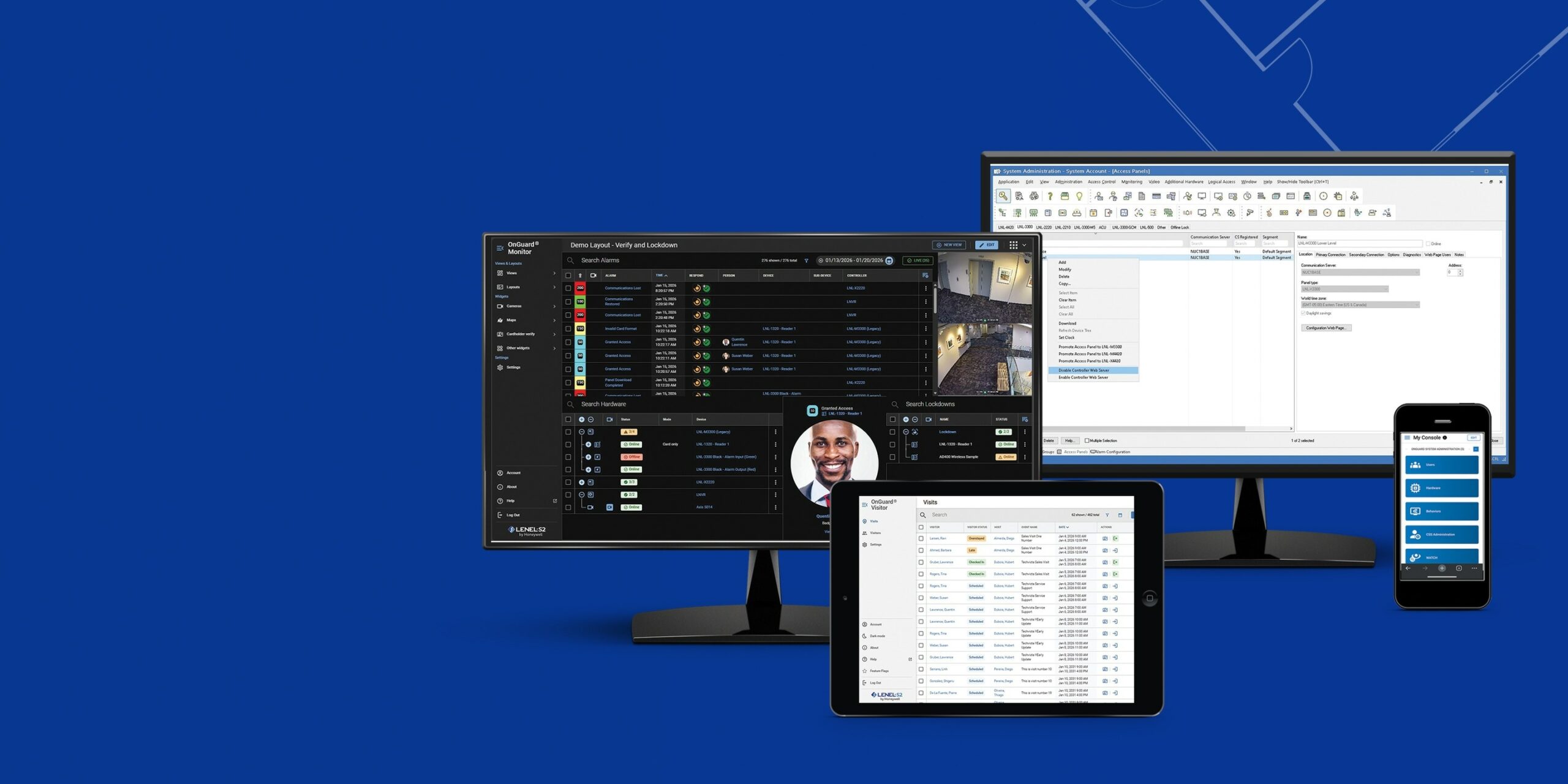
Product capabilities worth comparing
The items below identify concrete capabilities, product groupings and decision points found in this family. Treat them as an agenda for discovery—not as a preapproved shopping list.
- Products and selection guidance
- OnGuard Access, Enterprise and Cloud architecture
- Browser Monitor, Credentials, Visitor and Surveillance clients
- HR, elevator, video, intrusion and building-system interfaces
- Version compatibility, database backup, hardening and disaster recovery
- Door, lock, free-egress, accessibility and fire-alarm requirements
- Network, power, standby battery and outage behavior
- Current licenses, subscriptions, firmware and integrations
- Administrator training, backup, documentation and maintenance
- Site-specific design
- LenelS2 OnGuard
- LenelS2 cloud solutions
- Number and type of controlled openings
- Controller, reader, lock and credential compatibility
- Cloud or on-premise administration and ownership
- Offline behavior, backup power and emergency operation
Decisions to document before procurement
The project team should be able to answer each point below before equipment is released. Unresolved items belong in the assumptions and exclusions, not in field improvisation.
- Survey every controlled opening, frame, door hardware, free-egress requirement and accessibility condition.
- Confirm controller, reader, credential and lock compatibility, including offline operation and battery backup.
- Define who manages identities, schedules, visitors, mobile credentials and revoked access.
- Map fire-alarm, elevator, video, intrusion, directory and property-management integrations before ordering equipment.
Planning for North and South Carolina facilities
A Charlotte-area headquarters, a Triangle campus and a Lowcountry property may use the same platform differently. The project record should distinguish site-level constraints while keeping credentials, retention, cybersecurity and support standards consistent across the portfolio.
360 Mobile Vision coordinates Carolina projects from 6201 Fairview Rd, Charlotte, North Carolina 28210 - USA. Site coverage, scheduling, travel and trade responsibilities are confirmed against the actual scope.
A practical delivery sequence
1. Scope intake
Gather locations, quantities, schedules, standards and the constraints already known by the owner. The LenelS2 OnGuard, OnGuard Cloud and Enterprise scope should identify the evidence produced at this stage.
2. Engineering check
Confirm capacity, compatibility, environmental conditions and failure-mode requirements. The LenelS2 OnGuard, OnGuard Cloud and Enterprise scope should identify the evidence produced at this stage.
3. Commissioning plan
Define tests and expected outcomes before field work so acceptance is objective. The LenelS2 OnGuard, OnGuard Cloud and Enterprise scope should identify the evidence produced at this stage.
4. Lifecycle record
Leave the owner with versions, licenses, diagrams, configurations and maintenance responsibilities. The LenelS2 OnGuard, OnGuard Cloud and Enterprise scope should identify the evidence produced at this stage.
Lifecycle, updates and official resources
Availability and compatibility can change after a page is published. The project team must validate the current release, supported hardware and required licenses directly with the manufacturer. Any update should have a tested backup and rollback approach.
Build a site-specific scope
Send the facility type, location, existing platform, approximate device count, integration goals and schedule. That context is enough to decide whether LenelS2 OnGuard, OnGuard Cloud and Enterprise warrants a detailed design review.
LenelS2 owner, administrator and buyer resources
Carolina clients can use the parent-company technical guides to prepare new installation, expansion, software, maintenance and repair requirements before field work.
Discuss LenelS2 installation, maintenance or service
Detailed guides are maintained by 360TechnologyGroup.com, the parent-company knowledge center.
Authorized · Certified · Carolinas
Authorized LenelS2 dealer, certified installer and integrator
360 Mobile Vision sells, installs, programs and services LenelS2 for businesses across North and South Carolina — OnGuard and OnGuard Cloud, NetBox, M-Series controllers and BlueDiamond readers. Being the authorized dealer as well as the installer is what gets you genuine equipment, a valid warranty and a manufacturer support path when something needs escalating.
- DealerWe quote and supply genuine LenelS2 equipment, licensing and subscriptions.
- InstallerOur own technicians run the cable, mount the hardware, set the software up and test it — not a subcontractor you have never met.
- IntegratorWe make it work with the cameras, doors, network and identity systems already in the building, rather than leaving you with two systems that do not talk.
- Still here afterwardsService, repair, expansion and takeover of systems somebody else installed. Emergency support around the clock.
Official LenelS2 OnGuard software, firmware and support
Use the manufacturer links below for current software, firmware, release notes, manuals and technical resources. 360 Mobile Vision links directly to official manufacturer portals and does not copy or host firmware files.
Before installing an update: verify the exact model, region, hardware revision, current version, required intermediate releases, licensing or support entitlement, backup and rollback plan, integrations and maintenance window. An incorrect firmware package or upgrade sequence can interrupt service, invalidate compatibility or prevent a downgrade. Coordinate updates for monitored, life-safety-adjacent or business-critical systems with the system administrator and an authorized specialist.
Some resources require a customer, dealer, certified-technician or active-support login. Cloud-managed products may update automatically and may not provide a public firmware file.