
Kisi planning guide
The value of Kisi Cloud Software and Mobile Access depends on how well it matches the facility, users and support plan. The sections below separate product-family facts from site-specific design decisions for commercial projects in North and South Carolina.
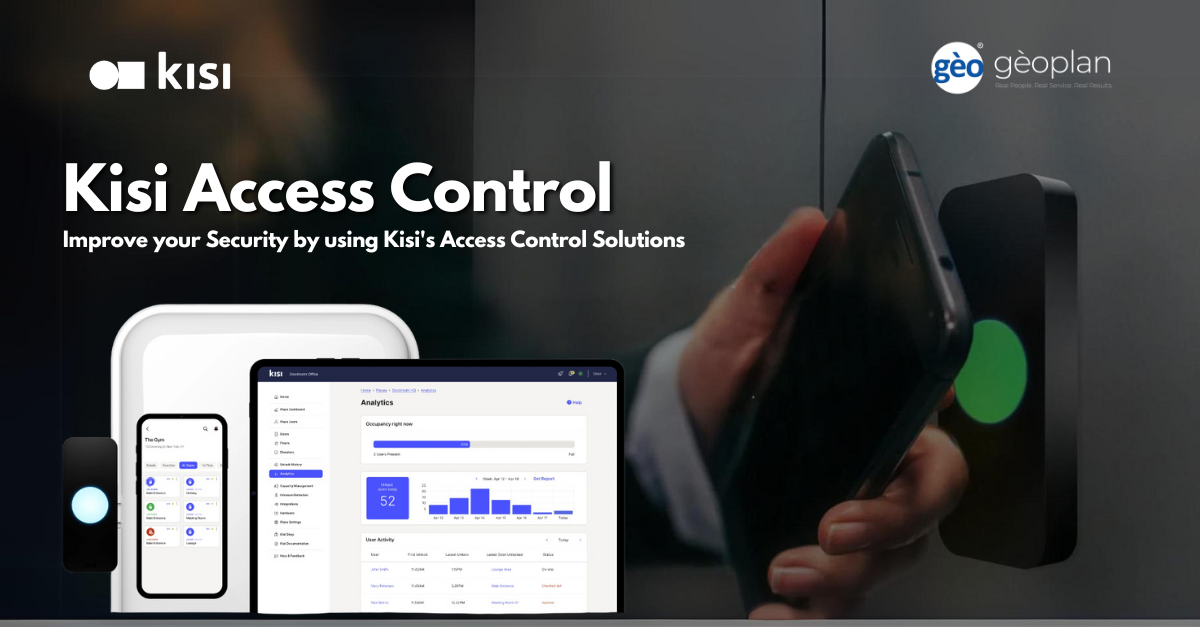
Product capabilities worth comparing
These product-specific topics help a project team ask better questions. Their presence on the page does not mean every component belongs at every site.
- Product and design guidance
- Organization, place and door hierarchy
- Mobile app, wallet badge and physical credential mix
- Schedules, first-to-arrive, lockdown and elevator rules
- SSO, directory, HR and compliance integrations
- Code-compliant lock, egress and fire-alarm sequence
- Network, power, battery and outage behavior
- Licenses, subscriptions, integrations and data ownership
- Administrator training, documentation and maintenance
- Kisi access control pricing/features
- Kisi technical specification guidance
- Number and type of controlled openings
- Controller, reader, lock and credential compatibility
- Cloud or on-premise administration and ownership
- Offline behavior, backup power and emergency operation
- Directory, HR, video, visitor and elevator integrations
Decisions to document before procurement
Before a purchase order is issued, the scope needs to show how the architecture will work at this facility and who will own it after handoff. The following checks reveal gaps that feature comparisons often miss.
- Confirm controller, reader, credential and lock compatibility, including offline operation and battery backup.
- Define who manages identities, schedules, visitors, mobile credentials and revoked access.
- Map fire-alarm, elevator, video, intrusion, directory and property-management integrations before ordering equipment.
- Review network segmentation, encryption, administrator roles, remote support and audit-log retention.
Planning for North and South Carolina facilities
A Charlotte-area headquarters, a Triangle campus and a Lowcountry property may use the same platform differently. The project record should distinguish site-level constraints while keeping credentials, retention, cybersecurity and support standards consistent across the portfolio.
Our operating address is 6201 Fairview Rd, Charlotte, North Carolina 28210 - USA. From there, the team evaluates North and South Carolina opportunities individually rather than promising identical availability in every municipality.
A practical delivery sequence
1. Inventory
Capture current equipment, versions, licenses, warranties, reusable assets and known deficiencies. The Kisi Cloud Software and Mobile Access scope should identify the evidence produced at this stage.
2. Requirements
Map operating workflows, permissions, retention, notifications, integrations and support expectations. The Kisi Cloud Software and Mobile Access scope should identify the evidence produced at this stage.
3. Implementation
Coordinate procurement, staging, installation, configuration and change control around the approved scope. The Kisi Cloud Software and Mobile Access scope should identify the evidence produced at this stage.
4. Handoff
Complete functional tests, administrator training, as-built documentation and open-item resolution. The Kisi Cloud Software and Mobile Access scope should identify the evidence produced at this stage.
Lifecycle, updates and official resources
Lifecycle review should happen while the system is being designed, not after an end-of-support notice. Confirm manufacturer support, subscriptions, upgrade sequencing and compatible integrations. Software and firmware links below lead to official resources; files are not hosted here.
Build a site-specific scope
Send the facility type, location, existing platform, approximate device count, integration goals and schedule. That context is enough to decide whether Kisi Cloud Software and Mobile Access warrants a detailed design review.
Kisi owner, administrator and buyer resources
Carolina organizations can use this parent-company resource set to prepare for Kisi installation, software setup, mobile access, identity integration, maintenance or repair.
Discuss Kisi installation, maintenance or service
Detailed guides are maintained by 360TechnologyGroup.com, the parent-company knowledge center.
Authorized · Certified · Carolinas
Authorized Kisi dealer, certified installer and integrator
360 Mobile Vision sells, installs, programs and services Kisi for businesses across North and South Carolina — cloud access control, mobile unlock, and controllers that keep the readers a building already has. Being the authorized dealer as well as the installer is what gets you genuine equipment, a valid warranty and a manufacturer support path when something needs escalating.
- DealerWe quote and supply genuine Kisi equipment, licensing and subscriptions.
- InstallerOur own technicians run the cable, mount the hardware, set the software up and test it — not a subcontractor you have never met.
- IntegratorWe make it work with the cameras, doors, network and identity systems already in the building, rather than leaving you with two systems that do not talk.
- Still here afterwardsService, repair, expansion and takeover of systems somebody else installed. Emergency support around the clock.
Official Kisi software, firmware and support
Use the manufacturer links below for current software, firmware, release notes, manuals and technical resources. 360 Mobile Vision links directly to official manufacturer portals and does not copy or host firmware files.
Before installing an update: verify the exact model, region, hardware revision, current version, required intermediate releases, licensing or support entitlement, backup and rollback plan, integrations and maintenance window. An incorrect firmware package or upgrade sequence can interrupt service, invalidate compatibility or prevent a downgrade. Coordinate updates for monitored, life-safety-adjacent or business-critical systems with the system administrator and an authorized specialist.
Some resources require a customer, dealer, certified-technician or active-support login. Cloud-managed products may update automatically and may not provide a public firmware file.