
Flir planning guide
The value of FLIR Multispectral, Fire Detection and Nexus Integration depends on how well it matches the facility, users and support plan. The sections below separate product-family facts from site-specific design decisions for commercial projects in North and South Carolina.
Product capabilities worth comparing
The strongest proposal will explain which of these capabilities is needed, which is optional and which is incompatible with the current environment.
- Product and system guidance
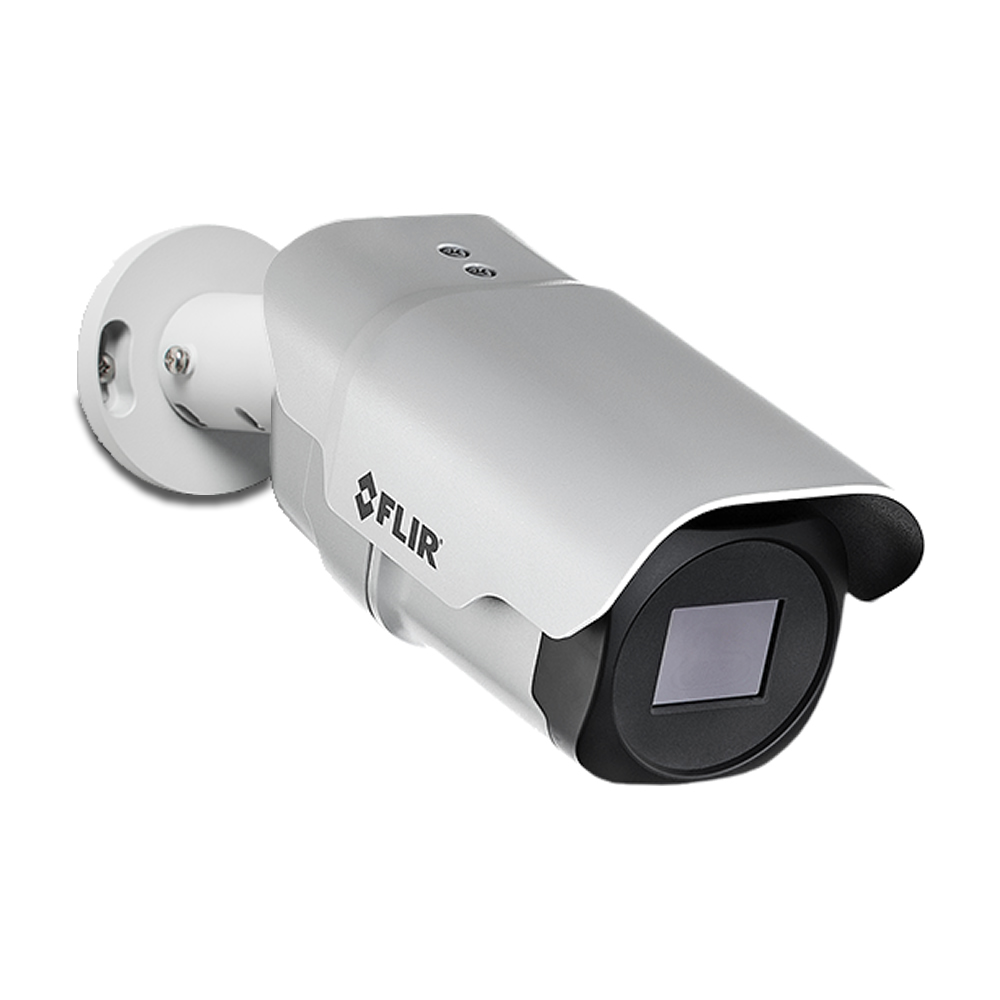
- FH-Series ID/R fixed multispectral cameras
- PT-Series AI and thermal/visible tracking
- Radiometric temperature alarms and early-fire applications
- Nexus sensor coordination, VMS and Cameleon/PSIM integration
- Scene survey, pixels on target, lens and mounting
- Bandwidth, storage, retention and evidence export
- Firmware, cybersecurity, user roles and remote access
- Current regulatory, procurement and customer compliance requirements
- Engineering before procurement
- FLIR FH-Series ID
- FLIR perimeter protection
- Protected areas and zone strategy
- Detector technology and environmental conditions
- Keypads, user partitions and authority levels
- Communications path and monitoring compatibility
Decisions to document before procurement
Turn the product discussion into an installable scope by documenting these decisions. They influence labor, accessories, licensing, testing and long-term service.
- Document each scene objective, mounting position, lighting condition and required identification detail.
- Calculate retention, recording mode, frame rate, resolution and storage overhead before selecting appliances or cloud plans.
- Confirm camera, VMS, analytics and third-party integration compatibility by current software release.
- Model bandwidth, PoE capacity, uplinks, remote viewing and cybersecurity controls with the network team.
Planning for North and South Carolina facilities
Facilities across North and South Carolina present different pathway, weather, occupancy and response requirements. Coastal humidity, lightning exposure, outdoor equipment temperatures and multi-site administration may materially affect equipment and installation choices.
360 Mobile Vision coordinates Carolina projects from 6201 Fairview Rd, Charlotte, North Carolina 28210 - USA. Site coverage, scheduling, travel and trade responsibilities are confirmed against the actual scope.
A practical delivery sequence
1. Scope intake
Gather locations, quantities, schedules, standards and the constraints already known by the owner. The FLIR Multispectral, Fire Detection and Nexus Integration scope should identify the evidence produced at this stage.
2. Engineering check
Confirm capacity, compatibility, environmental conditions and failure-mode requirements. The FLIR Multispectral, Fire Detection and Nexus Integration scope should identify the evidence produced at this stage.
3. Commissioning plan
Define tests and expected outcomes before field work so acceptance is objective. The FLIR Multispectral, Fire Detection and Nexus Integration scope should identify the evidence produced at this stage.
4. Lifecycle record
Leave the owner with versions, licenses, diagrams, configurations and maintenance responsibilities. The FLIR Multispectral, Fire Detection and Nexus Integration scope should identify the evidence produced at this stage.
Lifecycle, updates and official resources
Availability and compatibility can change after a page is published. The project team must validate the current release, supported hardware and required licenses directly with the manufacturer. Any update should have a tested backup and rollback approach.
Build a site-specific scope
Send the facility type, location, existing platform, approximate device count, integration goals and schedule. That context is enough to decide whether FLIR Multispectral, Fire Detection and Nexus Integration warrants a detailed design review.
FLIR owner, administrator and buyer resources
Carolina clients can use the parent-company technical guides to prepare new installation, expansion, software, maintenance and repair requirements before field work.
Discuss FLIR installation, maintenance or service
Detailed guides are maintained by 360TechnologyGroup.com, the parent-company knowledge center.
Authorized · Certified · Carolinas
Authorized FLIR dealer, certified installer and integrator
360 Mobile Vision sells, installs, programs and services FLIR for businesses across North and South Carolina — thermal security cameras, perimeter and multispectral fire detection and United VMS. Being the authorized dealer as well as the installer is what gets you genuine equipment, a valid warranty and a manufacturer support path when something needs escalating.
- DealerWe quote and supply genuine FLIR equipment, licensing and subscriptions.
- InstallerOur own technicians run the cable, mount the hardware, set the software up and test it — not a subcontractor you have never met.
- IntegratorWe make it work with the cameras, doors, network and identity systems already in the building, rather than leaving you with two systems that do not talk.
- Still here afterwardsService, repair, expansion and takeover of systems somebody else installed. Emergency support around the clock.
Official Teledyne FLIR software, firmware and support
Use the manufacturer links below for current software, firmware, release notes, manuals and technical resources. 360 Mobile Vision links directly to official manufacturer portals and does not copy or host firmware files.
Before installing an update: verify the exact model, region, hardware revision, current version, required intermediate releases, licensing or support entitlement, backup and rollback plan, integrations and maintenance window. An incorrect firmware package or upgrade sequence can interrupt service, invalidate compatibility or prevent a downgrade. Coordinate updates for monitored, life-safety-adjacent or business-critical systems with the system administrator and an authorized specialist.
Some resources require a customer, dealer, certified-technician or active-support login. Cloud-managed products may update automatically and may not provide a public firmware file.